Every screen, no mock-ups
These are screenshots of the running product, taken from a demo office with fictional agents and 555 numbers. Nothing on this page is a roadmap item.
Where the shift is spent
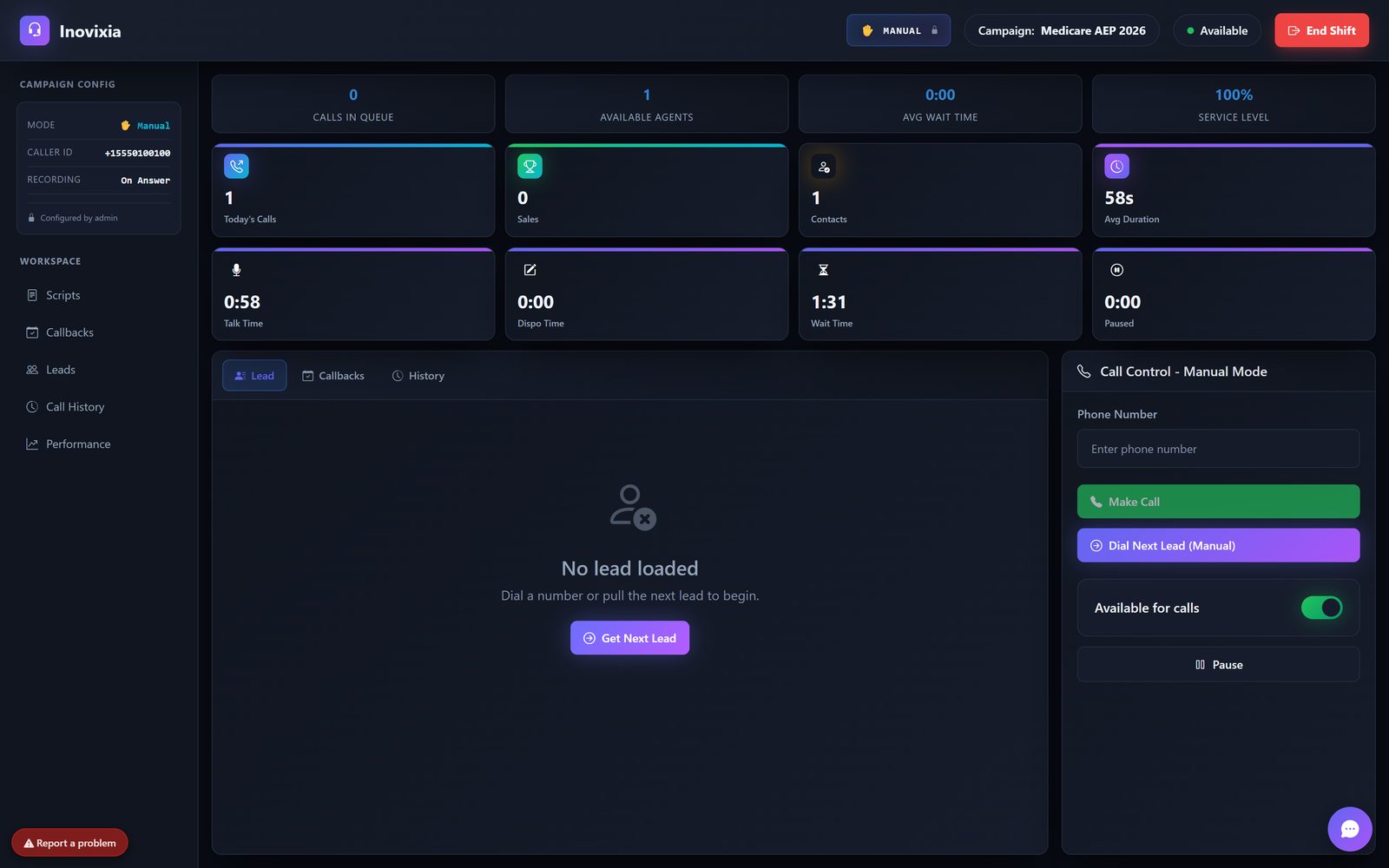
Campaign config on the left, live counters across the top, the lead in the middle and call control on the right. Manual, preview and predictive all use this one screen.
- ✓Call controlDial, hold, transfer, 3-way, hang up, pause with a reason.
- ✓Scripts and web formsPer-campaign scripts and links open next to the lead.
- ✓CallbacksScheduled callbacks come back to the agent who booked them.
- ✓Live transcriptionTrigger words surface the right rebuttal while the call is still running.
Every agent, every state, right now
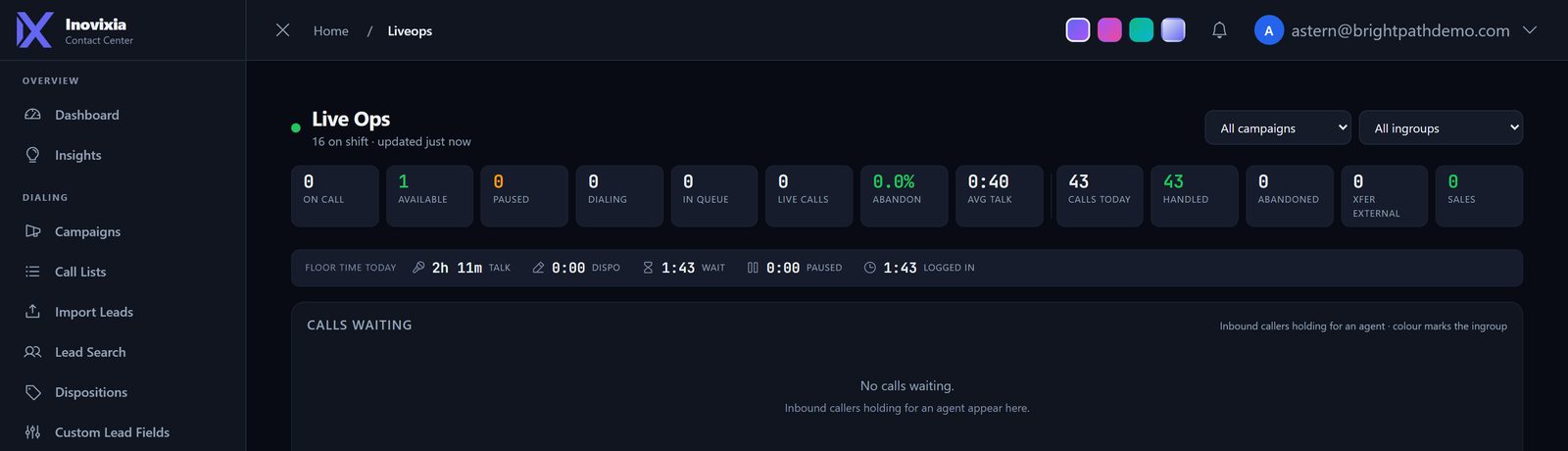
One row per agent with talk, dispo, pause and on-shift timers. Colour deepens the longer someone sits in one state, so a stuck agent is obvious from across the room.
- ✓Listen · whisper · bargeThree buttons on the agent's row.
- ✓Calls waitingInbound callers holding, coloured by queue.
- ✓Connection healthPing and audio quality per agent, so you can tell network from software.
The screen on the wall
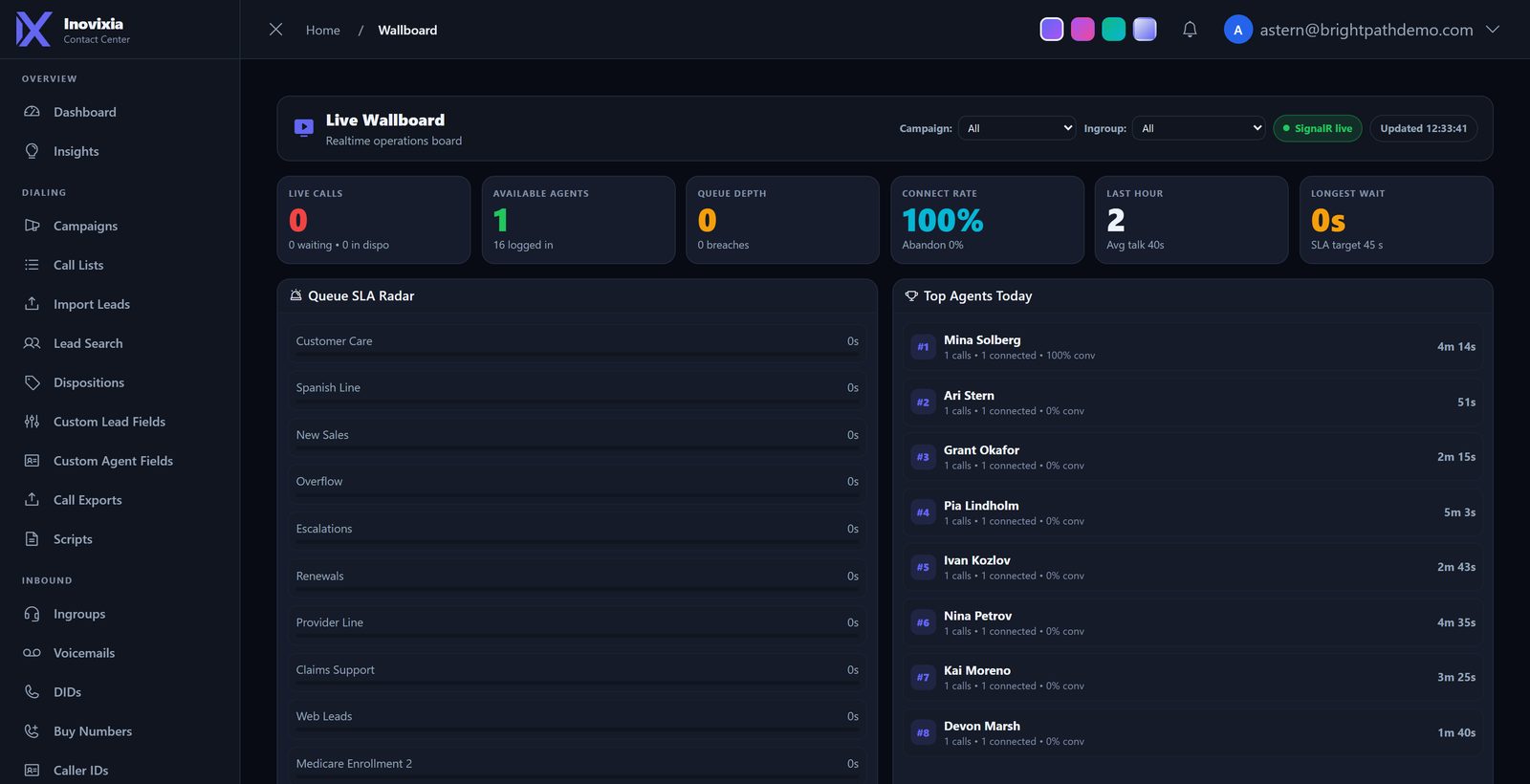
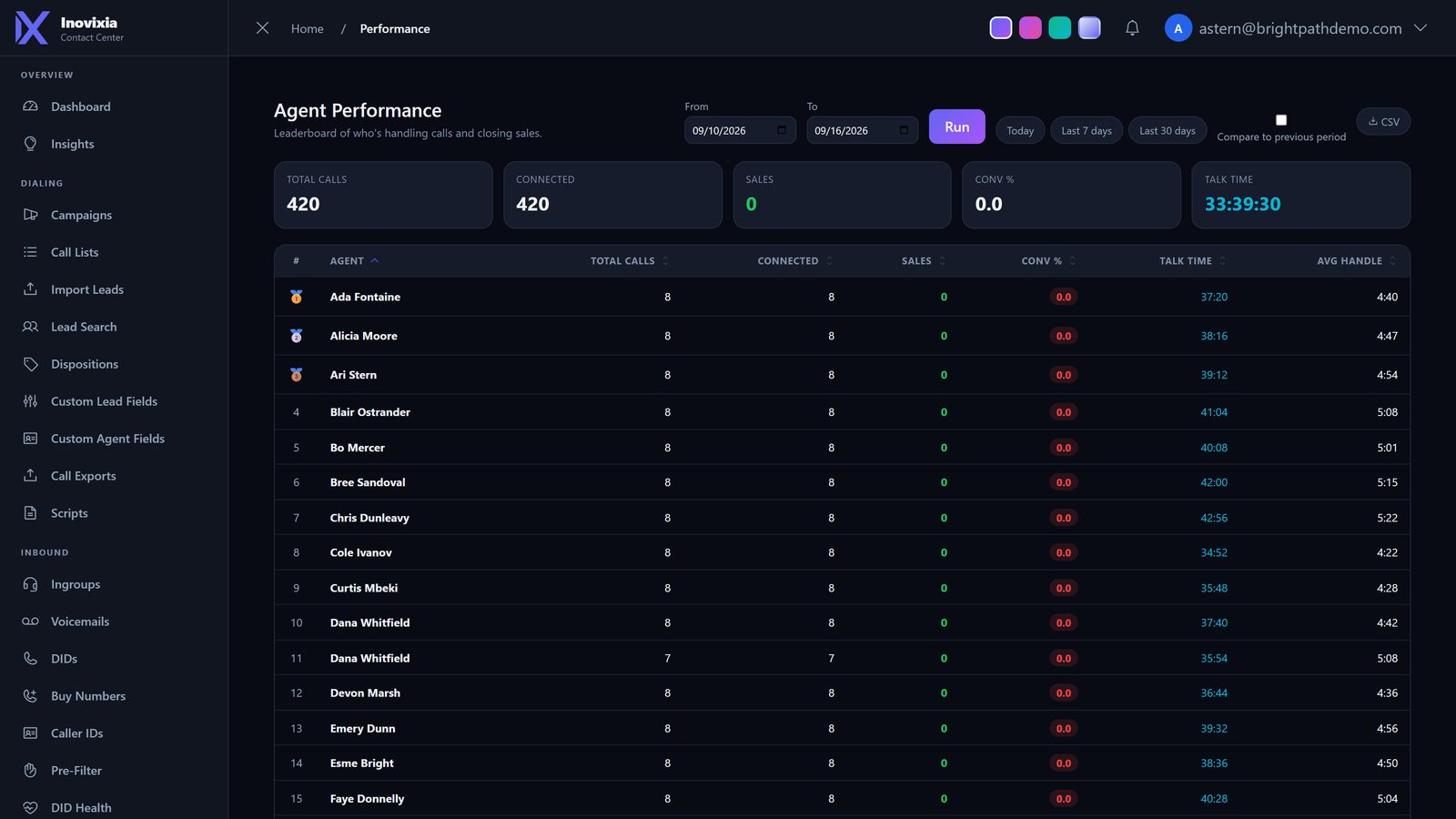
Live calls, available agents, queue depth, connect rate and longest wait, with queue SLA and today's top agents. Built to be left running on a TV.
Dialing rules in one place
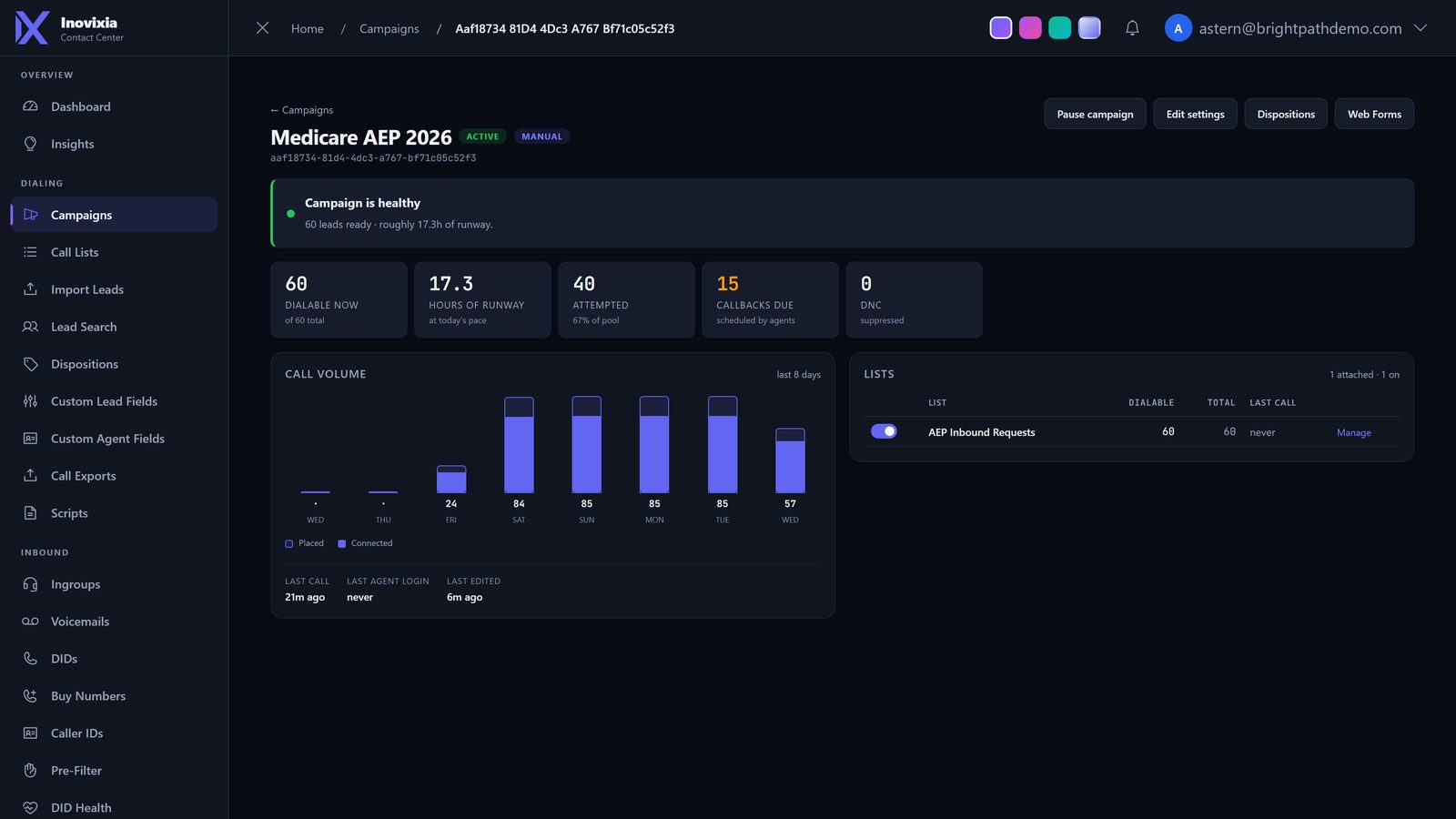
Mode, pacing, abandon ceiling, calling hours, active days, caller ID, recording, lists and dispositions. Change it here and the dialer picks it up on its next pass.
The archive, searchable
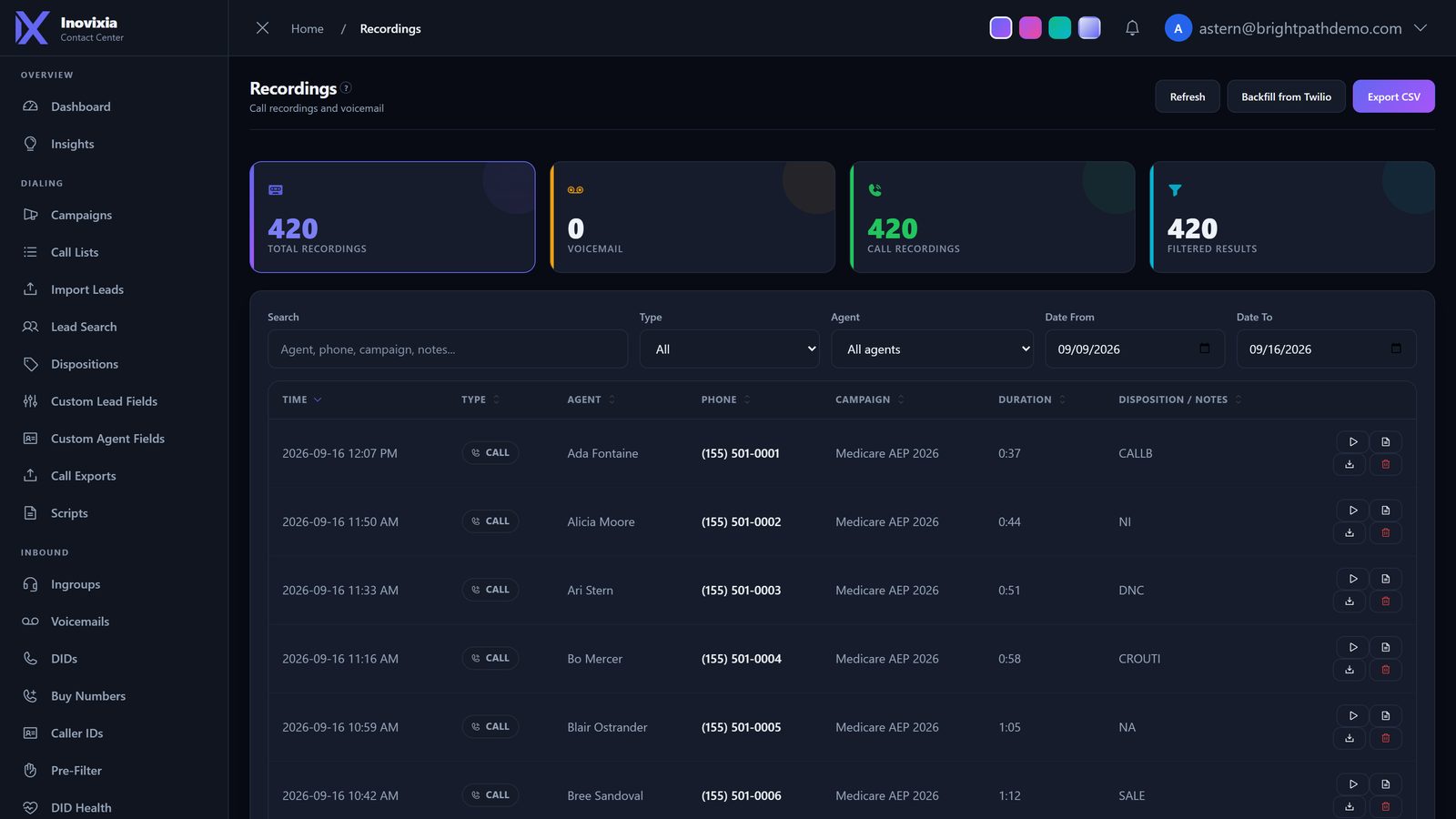
Filter by agent, type, date or disposition, play it in the page, export the list. Voicemails land in the same place.
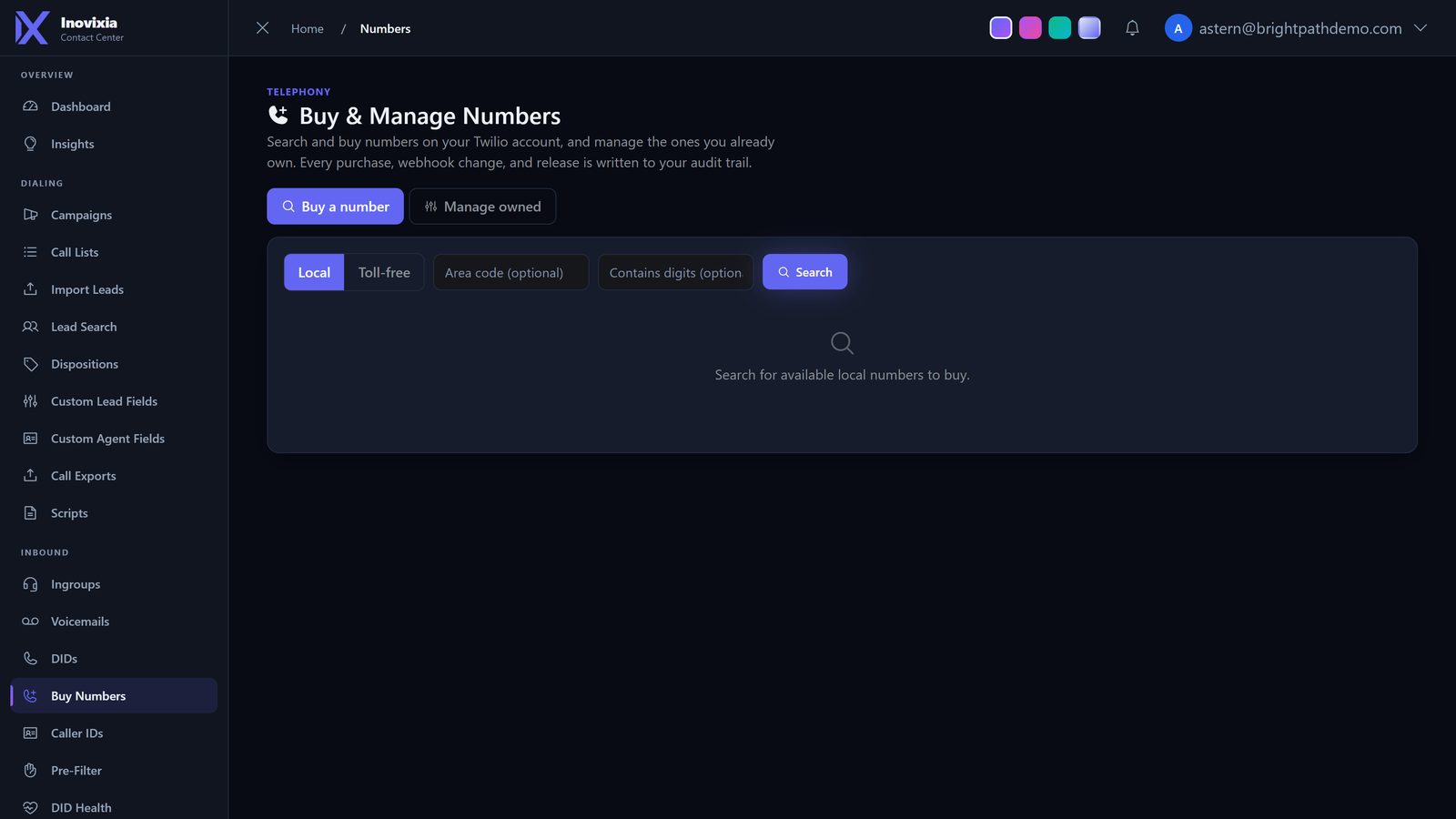
Admin work that usually eats a day
The specifics, for the person who has to run it
If you have been burned before, these are the parts that decide whether a platform survives contact with a real floor.
How the dialer decides what to do next
- Each campaign holds its own ratio, stored in the database rather than in memory, so a restart does not re-learn it from scratch
- A lease means exactly one server paces a campaign at a time. Two boxes cannot both dial the same list
- Abandons are measured live and the ratio comes down before it reaches your ceiling
- Leads out of hours are deferred rather than dialed and dropped
- Manual and preview campaigns are skipped by the engine entirely
What happens between a ring and an agent
- The number decides the queue, the queue decides the greeting, the hours and the ranking
- Known bad callers are dropped by the pre-filter before they occupy a slot
- If nobody is free the caller waits, goes to voicemail, or is sent to an outside number, per queue
- The caller is matched to an existing lead, so the agent opens with the history rather than a bare number
- Agents can grab a waiting call instead of waiting to be assigned one
Why the recordings are actually there
- Recording is set per campaign and per queue, and can be forced on for the whole office
- Both the call leg and the room are captured on longer calls, which means a transfer is still one continuous record
- The platform checks its own work and repairs anything the carrier reports late
- Late arrivals from the carrier are backfilled and linked to the right call
- Third parties brought into a call are inside the recording of the call they joined
Where the numbers come from
- Reports read the same rows the dialer writes, so there is no second database to drift
- Call state is reconciled against the carrier, so a call that really ended does not sit open forever
- Dispositions carry their own behaviour: callbacks, do-not-call, completion, retry timing, sale flags
- Every disposition on a call is kept, including when a call passes between agents
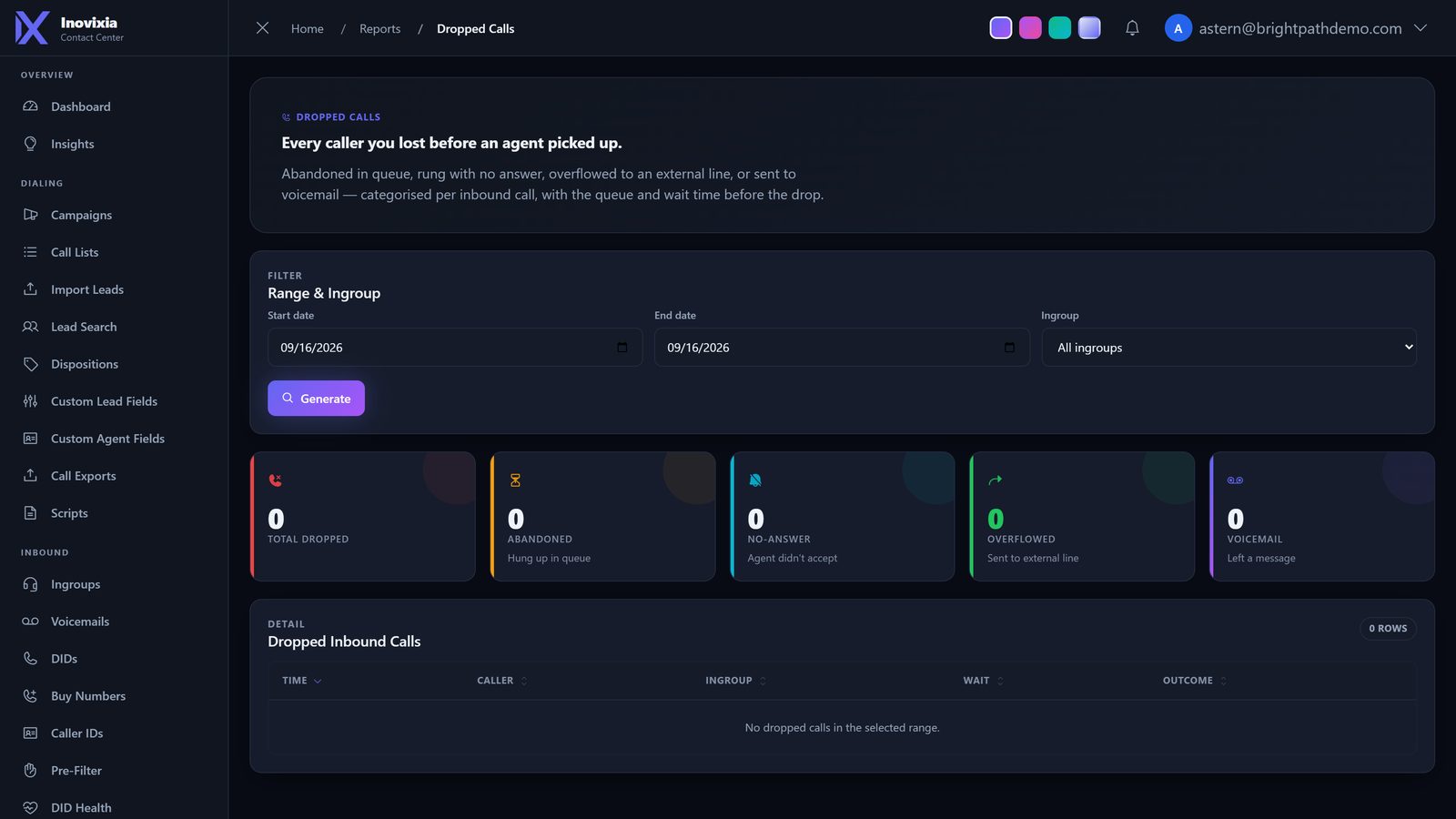
- Dropped and abandoned calls are reported with the reason, not just a count
Running more than one office
- Each office brings its own carrier account, numbers and spend
- Data is scoped to the signed-in office automatically, not by each screen remembering to filter
- Features can be switched on for one office and stay invisible to another
- Roles split the product: agents, supervisors and administrators see different systems
- Configuration changes are written to an audit trail with the previous value
Every call accounted for
- Each call keeps its full timeline: routing, who took it, transfers, hold, disposition and recording
- Agent state is timestamped through the shift, so talk, dispo and pause figures are measured rather than estimated
- Call state is reconciled against the carrier, so what you see matches what actually happened on the line
- Questions about a specific call are answered from the record, down to the second
Things you only notice when they're missing
One pacer per campaign
Pacing state is shared across servers with a lease, so running a second box never doubles your dial rate.
Recorded by the call
Recording is triggered by the call itself, then audited nightly and backfilled if the provider reports late.
Inbound tied to leads
A caller is matched to their existing record, so the agent sees the history instead of a bare number.
Per-office carrier accounts
Each office's calls, recordings and spend stay on the account that owns them.
Open at the edges
API keys per office, lead push and pull, and webhooks that fire on the events you pick.
Faults are traceable
When a call fails we can show what the carrier asked for, what we answered, and how long it took.
See it on your own campaign
We set up something that looks like your floor and place a live call through it while you watch.